Traverse Global v11.2 - Service Repair
Job Inquiry Lookup
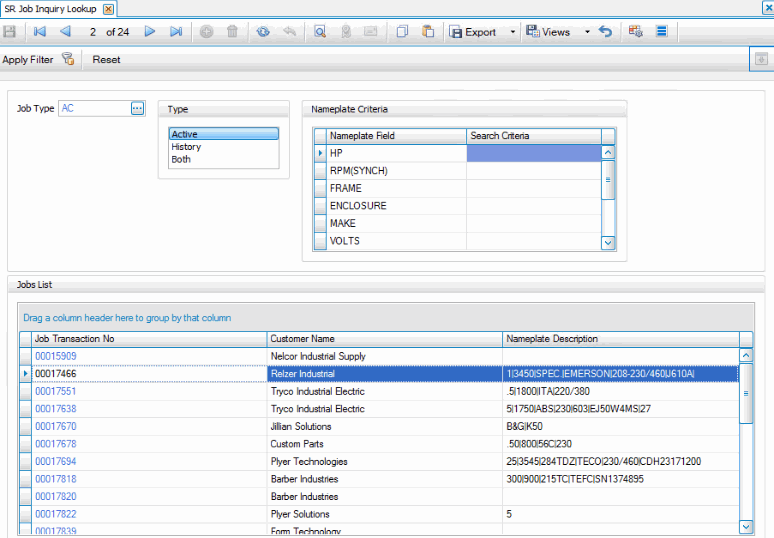
Use the Job Inquiry Lookup function to find jobs to inquire on. This allows you to filter the overall list of jobs by job type, the status of the job (active, historical, or both), and nameplate criteria.
- Select the Job Type you wish to view from the Job Type drop-down list. This will filter the nameplate field options in the Nameplate Criteria section. Leave blank to view all nameplate fields (from all job types) in the Nameplate Criteria filter.
- Select the status Type.
- In the Nameplate Criteria section, enter or select Search Criteria for one or more nameplate fields. If you leave the Job Type field blank, you must select/enter search criteria for at least one nameplate field. If you select a job type, you can leave the nameplate search criteria blank.
- Click the Apply Filter button on the toolbar to view a list of jobs that match the criteria. Use the Reset button to clear the selections and start over.
- To view details for a job, double-click the Job Transaction No link. The Job Inquiry screen will display the details for the job.
 Remember the Column Chooser:
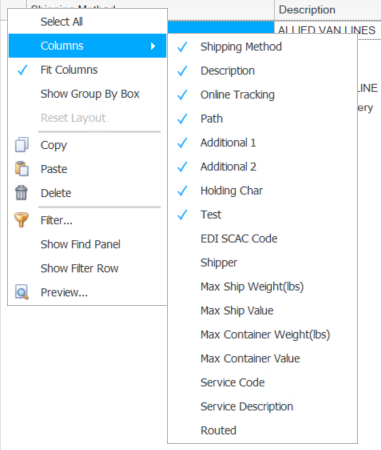
You can hide or show columns in the grid by right-clicking on the upper left corner of the grid and selecting the fields to show or hide from the Columns submenu.